01 / GET THE PICTURE
See where the space goes.
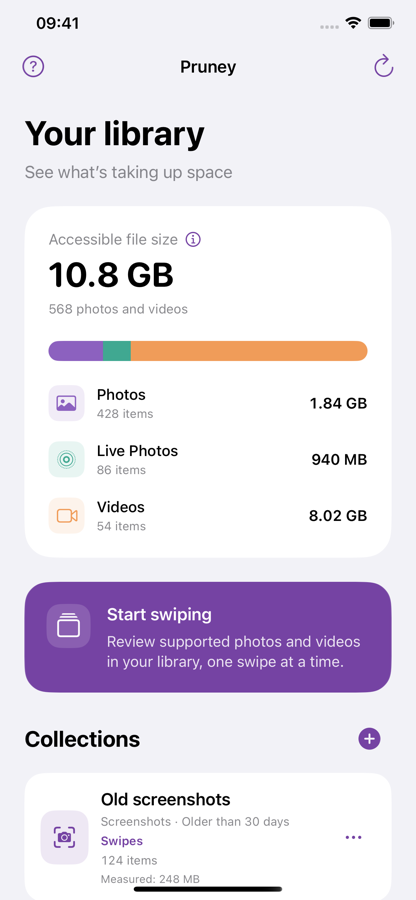
Photos, Live Photos, and videos in one clear overview. Start with the files you can actually measure.
 pruney.

A FRESH START FOR YOUR CAMERA ROLL
The almost-identical shots. The videos you forgot.
Make a little room for what comes next.
Coming soonGoogle PlayiOS 17 or later · Free to start · Optional lifetime Pro
A LITTLE CLEANUP GOES A LONG WAY
From a crowded camera roll to a considered collection.
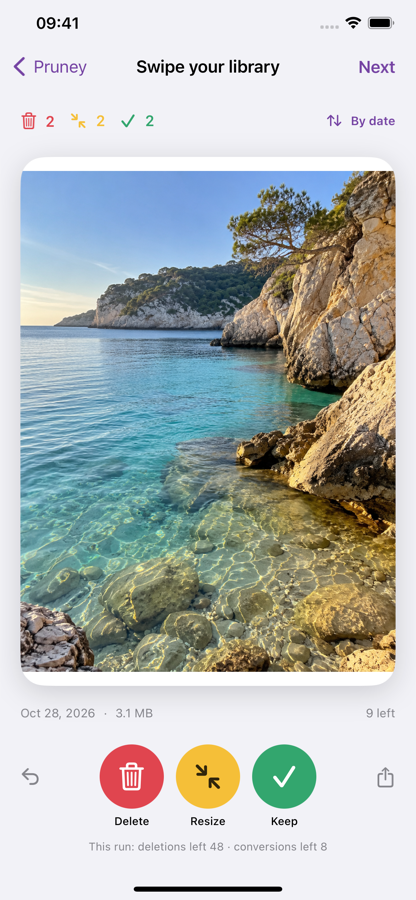
Take it one photo, one video, one swipe at a time.
Photos, Live Photos, and videos in one clear overview. Start with the files you can actually measure.
Keep it, select it for deletion, or choose a smaller version. Changed your mind? There’s Undo.
Old screenshots? Big videos? Save collections by media type, age, and size, then review what matters.
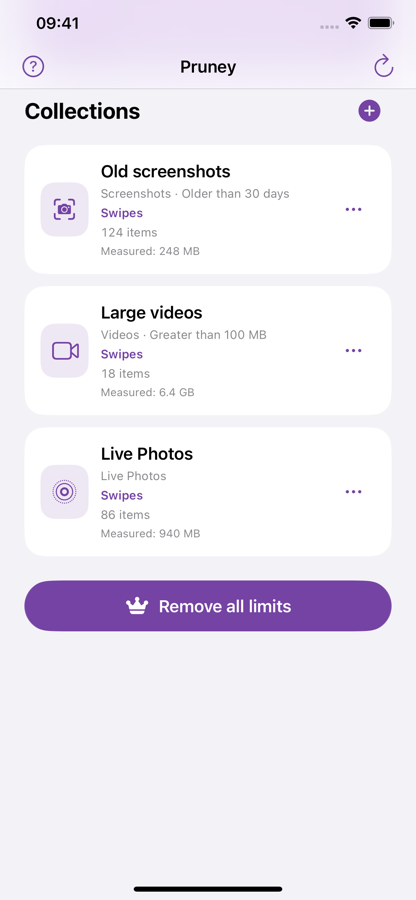
Screens show example library data. Measured file sizes are not exact device storage usage or guaranteed savings.
KEEP THE MOMENT. TRIM THE FILE.
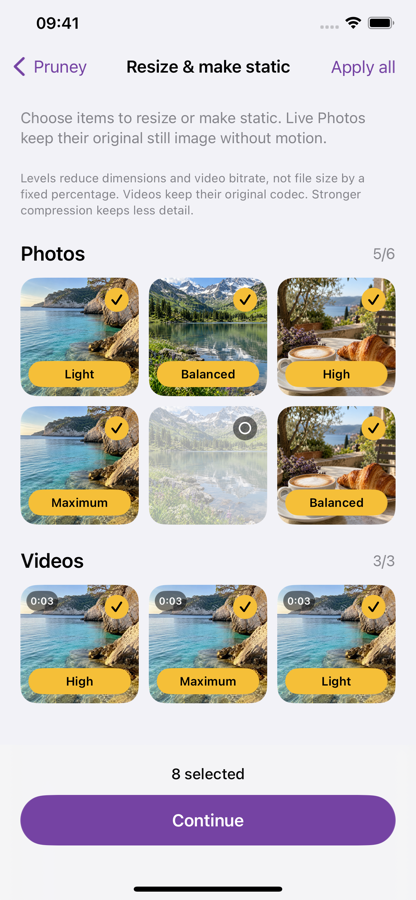
Choose a smaller size for supported photos and videos. Turn a Live Photo into a still when the moment says it all.
Choose Light, Balanced, High, or Maximum for supported photos and videos.
Make static keeps a Live Photo’s current still image and removes its motion.
Review your selections first. Resizing saves a smaller replacement and deletes the original.
A FRESH START, AT YOUR PACE
Start for free. Go Pro when you want more room to work.
Fresh limits with every new execution run. No daily counter.
Available in the app. Your local price is shown before purchase.
GOOD TO KNOW
No. Swipes select actions. You can undo decisions and review your selection before applying changes. Photos may also show a system confirmation.
Deleted items, including originals replaced by resizing or Make static, remain in Photos’ Recently Deleted album for up to 30 days. Empty that album yourself to free space immediately.
Yes. Limited Photos access works too. Pruney can only analyze and review the photos and videos you share with it.
Library analysis and file-size filtering do not download cloud-only resources. Unavailable or partially measured files may be excluded from size-based collections. Unsupported formats are excluded from review.
No. Pro is an optional, one-time lifetime purchase. You can restore eligible purchases in the app using the Apple Account you purchased with.
MAKE ROOM FOR WHAT’S NEXT
Coming soonGoogle PlayApp Store link coming soon.
Available for iPhone. Coming soon to Google Play.